AI Credits
The AI Assistant runs on credits. Every plan includes a monthly credit allowance, and you can buy one-time top-up packs if you need more. There is no separate AI subscription.
What It Can Do
- Answer questions about your project: "How many open defects are there?"
- Find specific annotations: "Show me all overdue items on the architectural drawings"
- Summarise project status: "What's the progress on the ground floor?"
- Provide insights: "Which drawings have the most issues?"
Monthly Credits by Plan
| Plan | AI Credits per Month |
|---|---|
| Starter | 60 first month, then 20 |
| Growth | 500 |
| Business | 2,500 |
| Professional | 10,000 |
| Enterprise | Unlimited |
Plan credits reset at the start of each billing period. Unused plan credits don't roll over.
What Queries Cost
| Query Type | Credits |
|---|---|
| Text question | 1 |
| Web search (added to a text question) | +2 |
| Drawing comparison | 3 per drawing pair |
| Deep dive comparison | 15 per drawing pair |
Need More? Buy a Top-Up Pack
Top-ups are a one-time purchase, not a subscription. Unlike plan credits, top-up credits roll over until you've used them.
- Go to Settings → Billing
- Find the AI CREDITS card
- Pick a pack and complete checkout
| Pack | Credits | Price |
|---|---|---|
| Starter pack | 200 | $5 |
| Small | 500 | $10 |
| Medium | 1,500 | $25 |
| Large | 3,500 | $50 |
Using the AI Assistant
Click the AI button in the header to open the assistant. Type your question in natural language and get a response based on your project data.
Tip: The AI Assistant works best when you mention specific project names, drawing references, or annotation types in your questions.
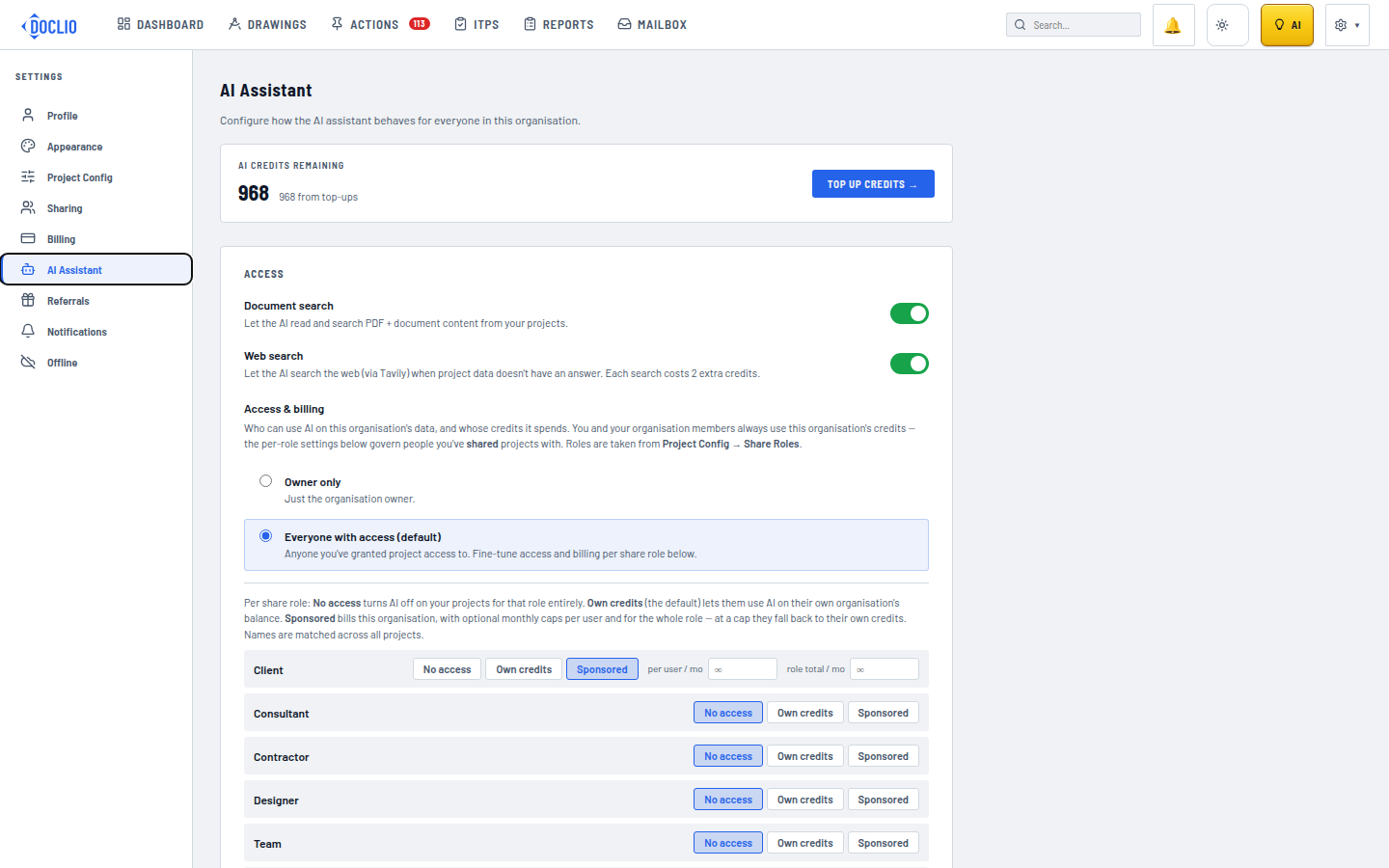
Credits remaining and the Top Up Credits button