Need More Capacity?
If you've hit a plan limit but don't want to upgrade to a higher tier, you can purchase individual capacity blocks to expand specific limits.
Available Overage Blocks
| Block Type | What You Get | Price |
|---|---|---|
| Active Project | +1 active project slot + 1 GB storage | $10/month |
| Archived Projects | +5 archived project slots | $5/month |
| Drawings/Documents | +100 drawing/document slots + 2 GB storage | $19/month |
How It Works
- When you hit a limit, you'll see an Upgrade prompt
- Choose to upgrade your plan or purchase an overage block
- Overage blocks are added to your existing subscription
- They appear on your next invoice alongside your plan fee
Removing Overages
If you no longer need the extra capacity:
- Go to Settings → Billing
- Find the block in the Overage Capacity list
- Click REMOVE
Removal takes effect immediately — your limits drop back to the base plan straight away, and you receive a prorated credit for the unused portion of the billing period on your next invoice.
Note: Only organisation owners and admins can purchase or remove overage blocks. Blocks are available on any plan — on Starter (no subscription) the purchase goes through a separate Stripe checkout.
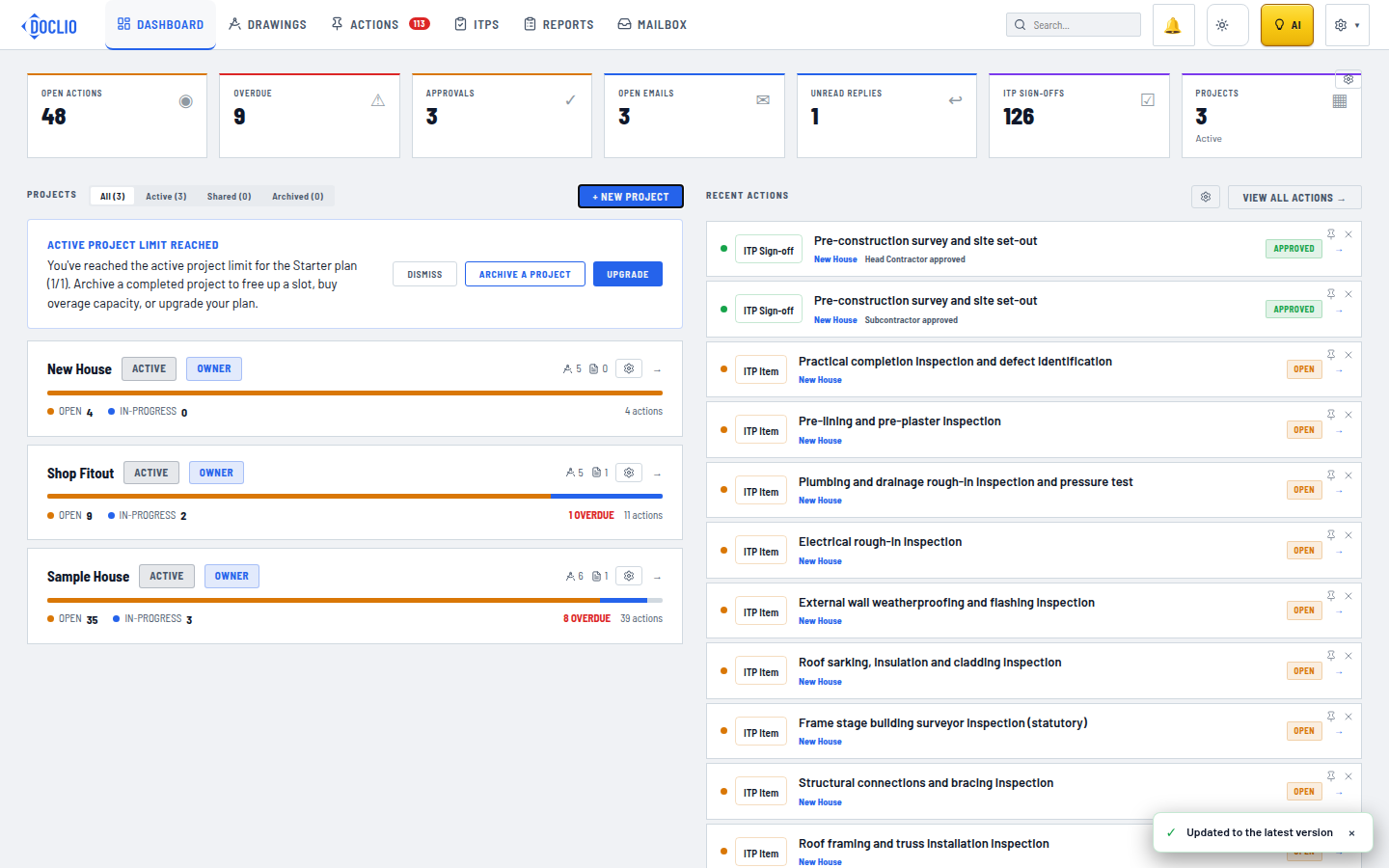
Archive a project, buy overage capacity, or upgrade