Your Data, Your Control
You can export everything Doclio holds about you, or delete your account, from inside the app. Both are self-service and immediate — no support ticket needed.
Requesting a Data Export
- Open your account menu (top right) → Settings
- Scroll to the bottom and click Data Export & Deletion
- Open the Request Export tab and click Request Data Export
- Your data is compiled in a few seconds and a secure download link is emailed to you (valid for 30 days)
You can make one export request per 24 hours.
What's Included in the Export
- Profile Information — account details, organisation membership, preferences
- Projects & Documents — all projects, document and drawing metadata
- Annotations — all annotations, comments, and revisions
- Reports — your generated reports
- Sharing History — who you've shared projects with
The export is a machine-readable file (JSON), as required for data portability.
Deleting Your Account
If you wish to permanently delete your account:
- Go to the Data Export & Deletion page and open the Request Deletion tab
- Click Request Account Deletion
- Type DELETE MY ACCOUNT to confirm
Deletion is immediate. Your account, projects, drawings, and annotations are removed straight away, any active subscriptions are cancelled, and you're signed out. Billing records are retained for 7 years as required by law. Backup copies are removed within 90 days.
Warning: Account deletion is permanent and cannot be undone. All your projects, drawings, and annotations will be permanently removed. We recommend exporting your data first.
Privacy Contact
For any privacy-related questions, contact privacy@docl.io.
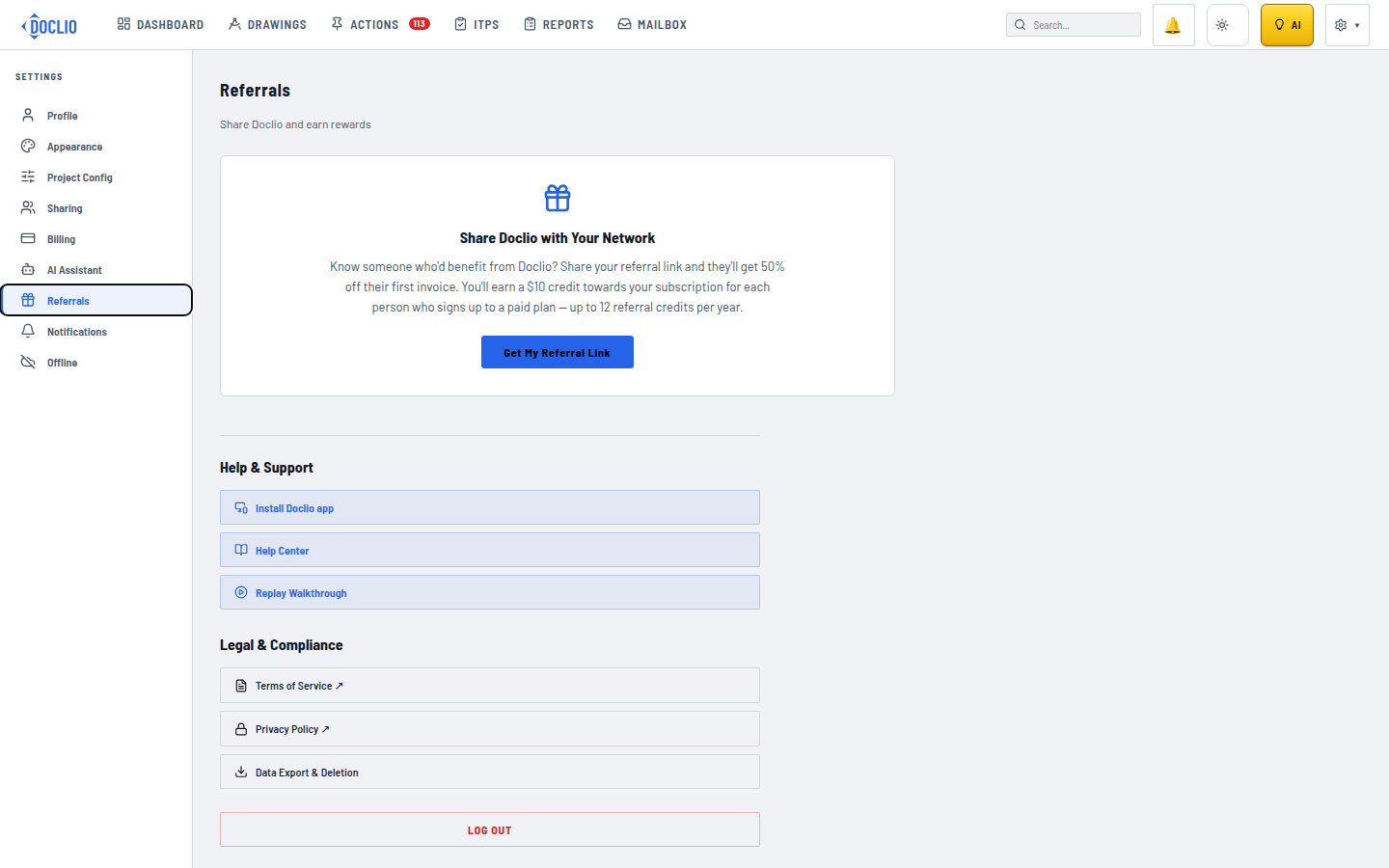
Found under Legal & Compliance in Settings