Last updated: May 2026
Doclio includes short guided tours that point out the key parts of each screen. They appear automatically the first time you reach a screen, and you can replay any of them whenever you like.
The welcome tour
Right after you finish signing up, an 8-step welcome tour walks you through the main areas: Your Dashboard, Drawings, Emails, Actions, Reports, Doclio AI, Settings & Account, and Get Started. Step through it, or skip it — you can replay it any time.
Per-screen tours
The first time you open one of these screens, a short tour highlights what's there:
- Drawings — uploading and managing your drawing set.
- Drawing viewer — annotation tools, the annotations list, linking and measuring.
- Takeoffs — the takeoff tools, categories, group totals, and focus mode.
- Actions — filtering, sorting, and the quick type filters.
- Emails (Mailbox) — folders, composing, filtering threads.
- Report builder — building and issuing a report in five steps.
Each tour shows once, then remembers it's done (stored in your browser), so it won't interrupt you again.
Replaying a tour
Open the user menu (top-right) and choose Replay walkthrough. This replays the tour for the page you're currently on — so to replay the Drawings tour, be on the Drawings screen when you click it. From the dashboard it replays the welcome tour.
Because the "seen" flags live in your browser, tours will play again on a new device or after clearing your browser data — which is handy if you want to re-watch them.
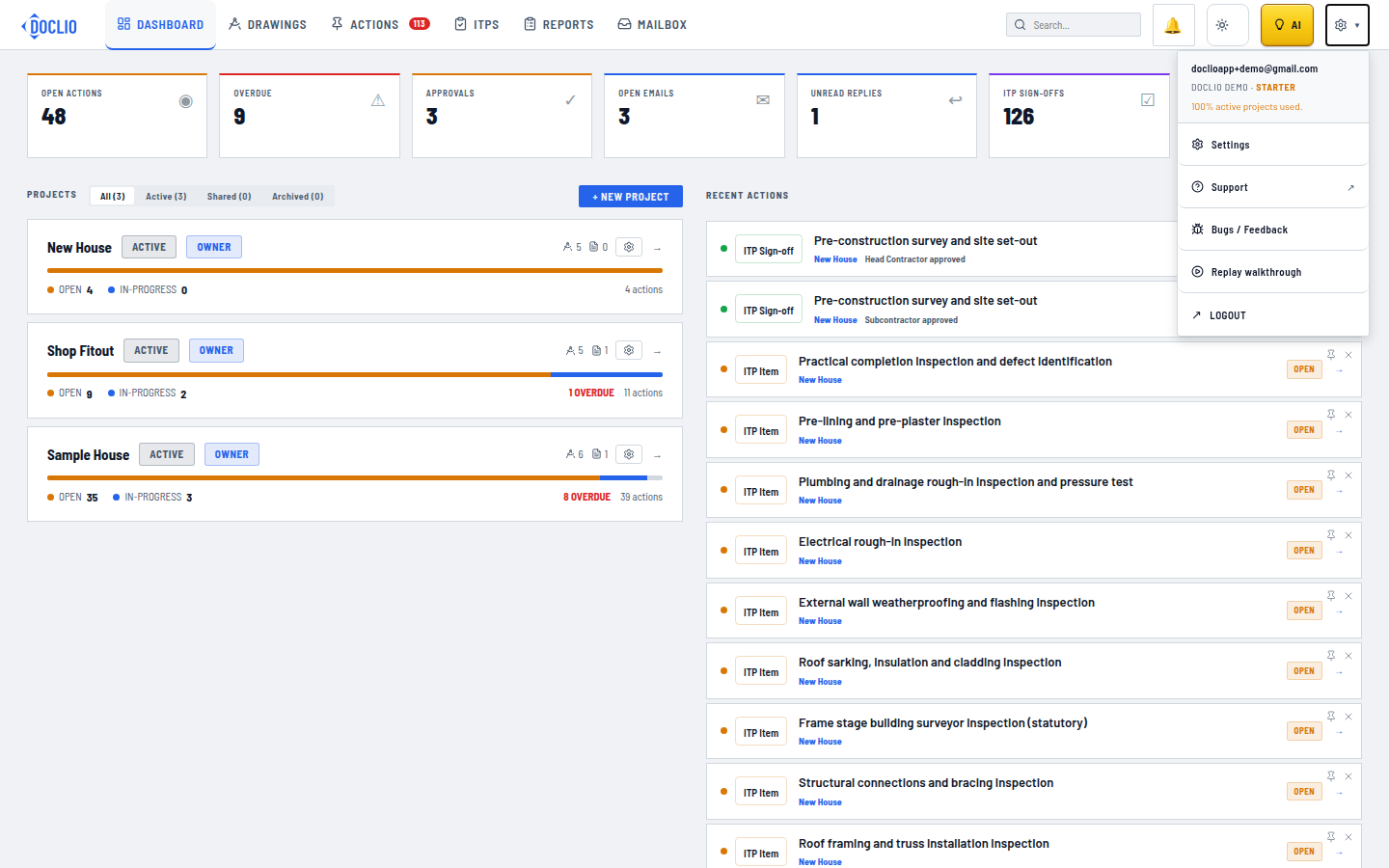
Available any time from the account menu