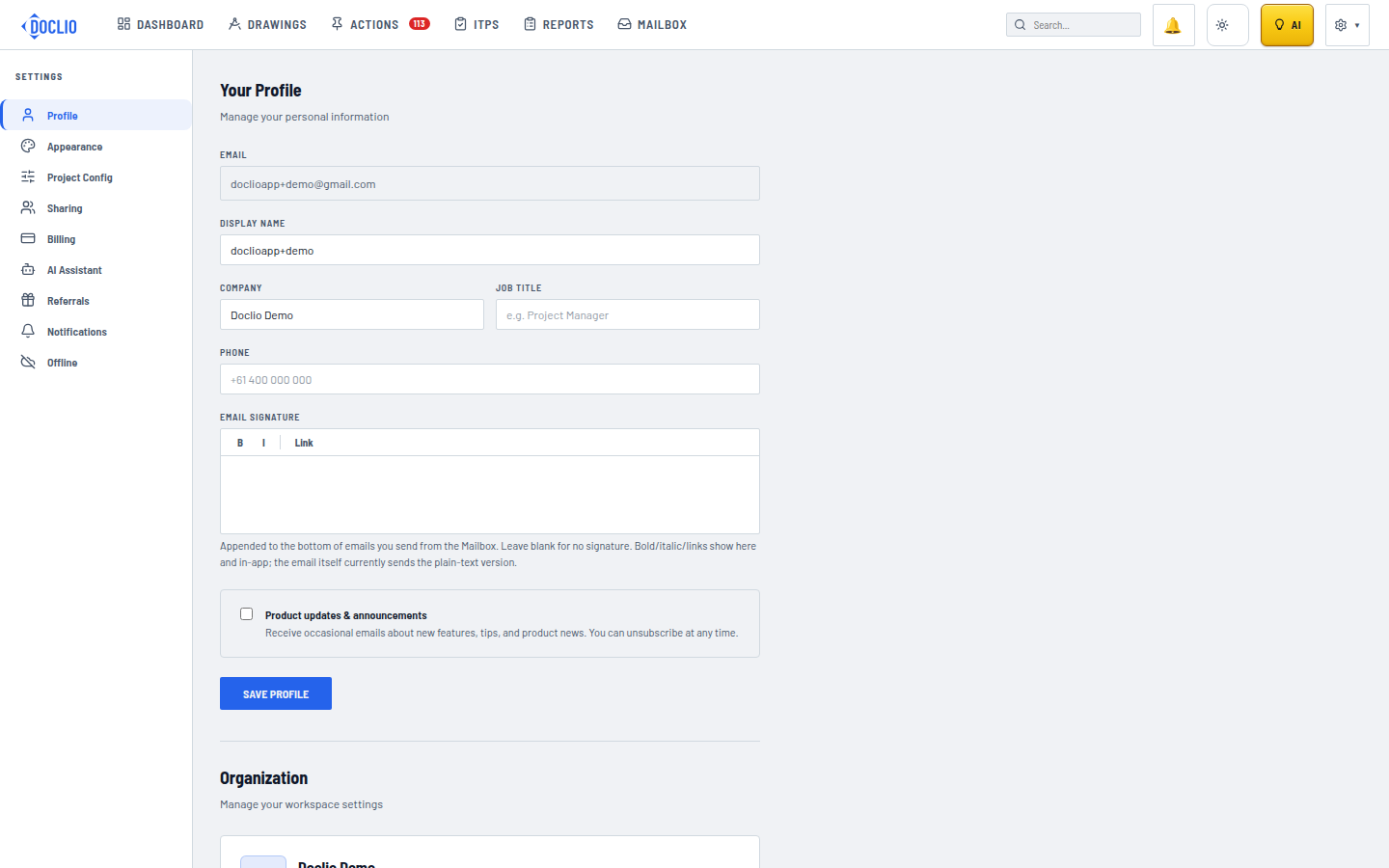
Manage Your Account
Your profile and account settings let you control your personal information, display preferences, and notification preferences.
Editing Your Profile
- Open your account menu (top right) → Settings
- Click the Profile tab
- Update any of the following fields:
- Display Name — How your name appears to other team members
- Company — Your company or organisation name
- Job Title — Your role (e.g., Project Manager, Site Engineer)
- Phone — Contact number (optional)
Click Save to apply changes.
Notification Preferences
Control which email notifications you receive:
- Go to Settings → Notifications
- Choose notification frequency for each event type:
- None — No email notifications
- Immediate — Get an email as soon as the event occurs
- Digest — Receive a summary email on selected days
Events you can configure notifications for:
- New annotation created
- Comment added
- Attachment uploaded
- Status changed
- Approval requested
- Drawing added, updated, or deleted
By default, approval requests are Immediate and everything else is Digest. When any event type is set to Digest, a day picker appears under that project — choose which days the digest goes out (weekdays by default) and the send time.
Setting Your Timezone
Your timezone affects when digest emails are sent and how timestamps are displayed. Set it in the Notifications tab.
Tip: Keep your display name up to date — it's what other team members see when you're assigned annotations or mentioned in comments.
Profile Settings