Fixes for Common Offline Problems
Offline mode is mostly invisible — it just works. But when it doesn't, here's how to get back to normal.
A drawing won't open offline
This almost always means the drawing wasn't cached. Possibilities:
- You never opened it online. Passive caching only saves files you've actually viewed. Reconnect to signal, open the drawing once, then try offline again.
- It's a video, point cloud, or large CAD file that the automatic "Save for offline" download skipped. Open the project online, tap ⬇ SAVED OFFLINE, then tick that specific file under the EXCLUDED section and UPDATE.
- Your browser evicted the cached copy because the device ran low on space. Re-open online, or pin the project for guaranteed availability.
The offline banner won't go away even though I have signal
Doclio relies on your browser's report of online/offline state. Some Wi-Fi networks authenticate you on the device level but have no internet access — the browser reports "online" but nothing actually loads. Try:
- Load any other website — if it doesn't load, your connection is actually down
- Toggle airplane mode off, then on again
- Close Doclio and reopen it
I saw an "Updated to the latest version" message
That's normal. When we release a new version of Doclio, your device picks it up in the background and applies it automatically — no reload button to press. A small green Updated to the latest version toast appears for about 5 seconds to confirm, then disappears on its own. No action needed.
The "Updating offline data" chip is stuck
If the sync chip at the bottom-left keeps spinning for more than a minute or two, your signal may have dropped mid-sync. Doclio will abort the sync automatically. You can:
- Wait — sync resumes automatically when you reconnect
- Or reload the page to kick off a fresh sync attempt
I can't sign in offline
That's expected. Signing in, signing up, and switching accounts all require live authentication. Your existing session stays active offline — just keep working. If your session has expired while you were offline, you'll need to reconnect to sign back in.
I made changes offline — where did they go?
Unfortunately, changes made offline are not saved. Any comment, status update, annotation, or upload you tried to submit while disconnected failed at the moment of submission. This is why Doclio shows a warning banner while offline.
For critical site work, jot things down on paper or in your phone's notes app while you're disconnected, then enter them into Doclio once you're back on signal.
Something looks broken — buttons not responding, blank screens, weird errors
Try these in order:
- Reload the page (pull down to refresh on mobile, or press Ctrl+R / Cmd+R)
- Reload twice in a row — sometimes needed after a new version is installed
- Sign out and back in
- Clear offline data — Settings → Offline → CLEAR ALL OFFLINE DATA. You'll stay signed in but the app will re-download itself on your next online visit.
The "nuclear" reset
If clearing from Settings doesn't fix things, there's an emergency reset URL. Visit:
https://doclio.app/?kill-sw=1
This wipes everything Doclio has stored on this device — it re-downloads fresh on your next visit. Use it only if the app is stuck in a broken state; otherwise the Settings → Offline clear is gentler.
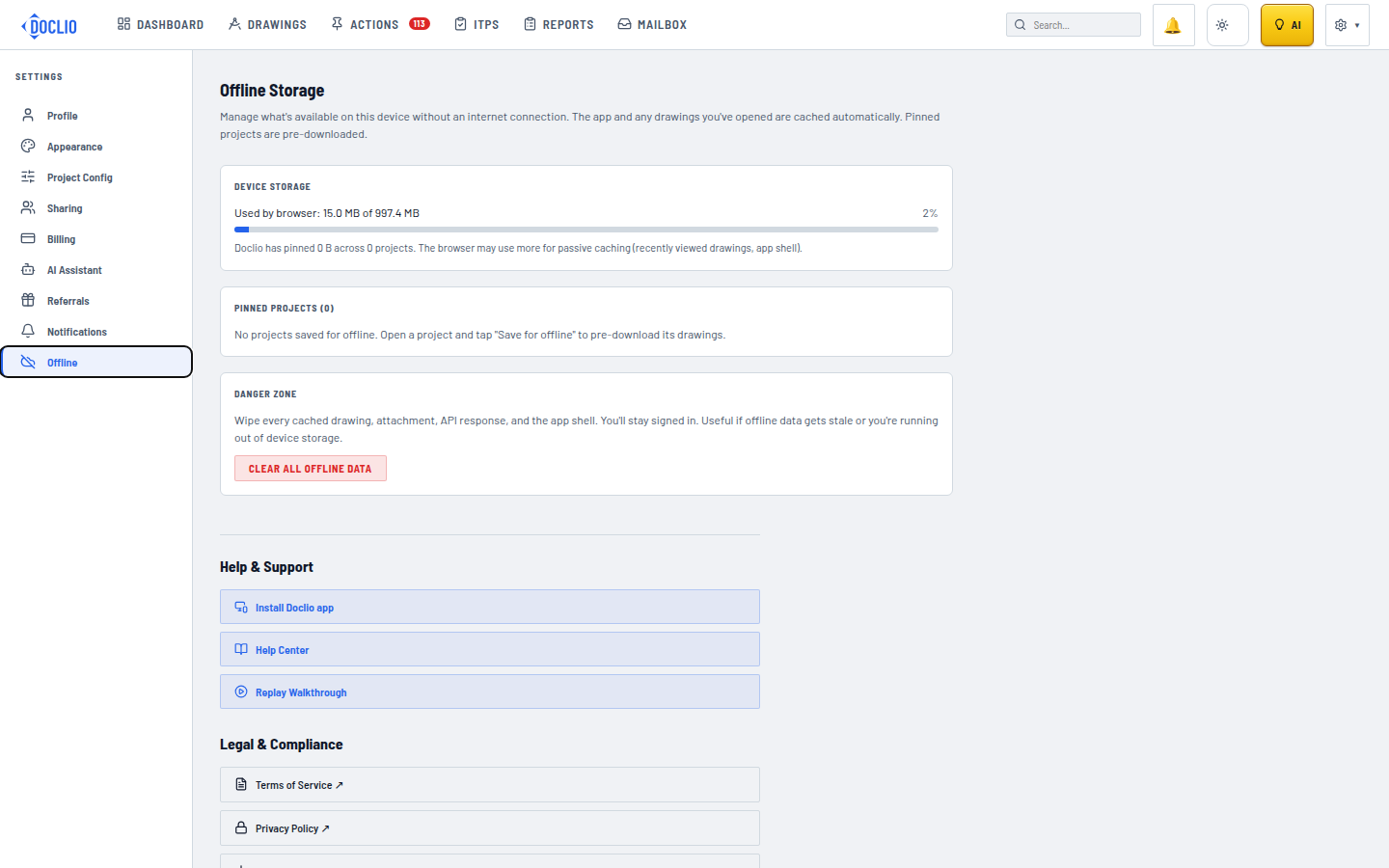
Clear All Offline Data if cached content gets stale