Understanding Plan Limits
Each plan has limits on the number of active projects, archived projects, and drawings you can have.
Why Can't I Create Another Project?
You've reached your plan's active project limit. Options:
- Archive a project — Move an inactive project to archived status to free up an active slot. Archived projects are still accessible but don't count against your active limit.
- Purchase an overage block — Add +1 active project for $10/month
- Upgrade your plan — Move to a higher tier with more project slots
Why Can't I Upload More Drawings?
You've reached your plan's drawing/document limit (across all projects). Options:
- Delete unused drawings — Remove drawings you no longer need
- Purchase an overage block — Add +100 drawings for $19/month
- Upgrade your plan — Move to a higher tier with more drawing capacity
Archive vs Delete
| Action | Effect |
|---|---|
| Archive | Project moves to archived tab. Data preserved. Frees an active slot. Uses an archived slot instead. |
| Delete | Project is permanently removed. All drawings, annotations, and reports are deleted. Cannot be undone. |
Warning: Deleting a project is permanent and cannot be undone. Always archive instead of deleting unless you're certain you no longer need the data.
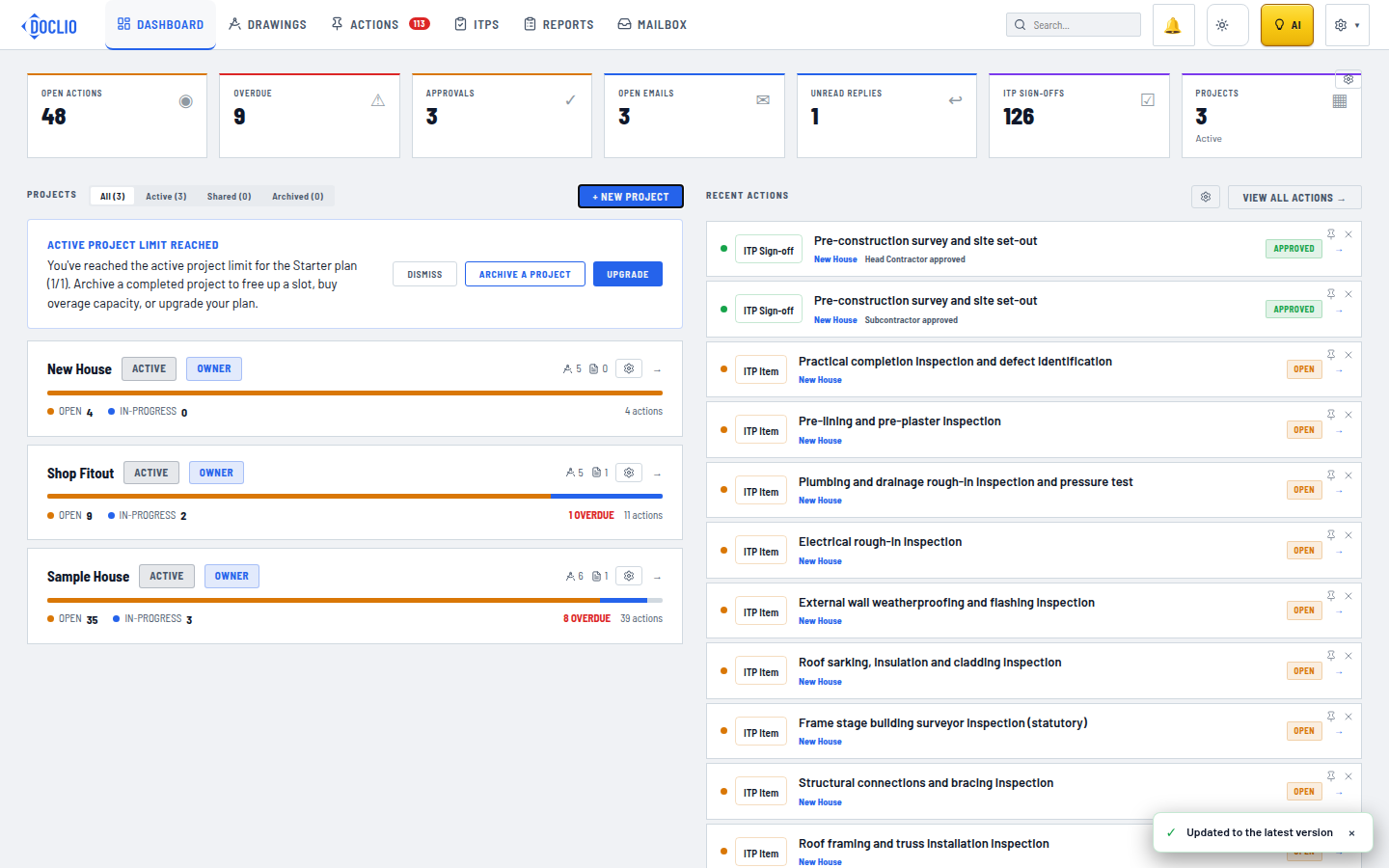
Shown on the dashboard once a plan's limit is hit