Last updated: May 2026
Each project has its own Project Settings panel for managing the project's details and who has access to it. Open it from the ⚙ button on a project card on the dashboard, or ⚙ Project in the project bar when a project is open.
Project Settings is for the project's details and people. Per-project configuration — annotation types, statuses, groups, tags, and formal-correspondence details — lives separately under Settings → Project Config. See Configuring Your Project.
Details tab
- Edit the project name, address, status, and description.
- Archive the project to free an active-project slot (archived projects stay readable), or unarchive to bring it back.
- Delete the project permanently.
People & Sharing tab
This is where you invite people onto the project and manage their access.
- Invite someone by name and email, choose their role (Team, Client, Designer, Consultant, Contractor — or any role you've added), and set their capability (View / Comment / Contribute / Edit).
- A permissions matrix shows exactly what each capability allows.
- Add, rename, or remove roles to match your project structure. Roles drive role-based visibility for annotation types and reports — see Roles and Capabilities.
- People you add to the Client, Designer, and Contractor roles are surfaced as the project's parties on its dashboard card.
For sharing a narrower scope (a single drawing or a group rather than the whole project), use the ↗ Share button instead — see Share Levels Explained.
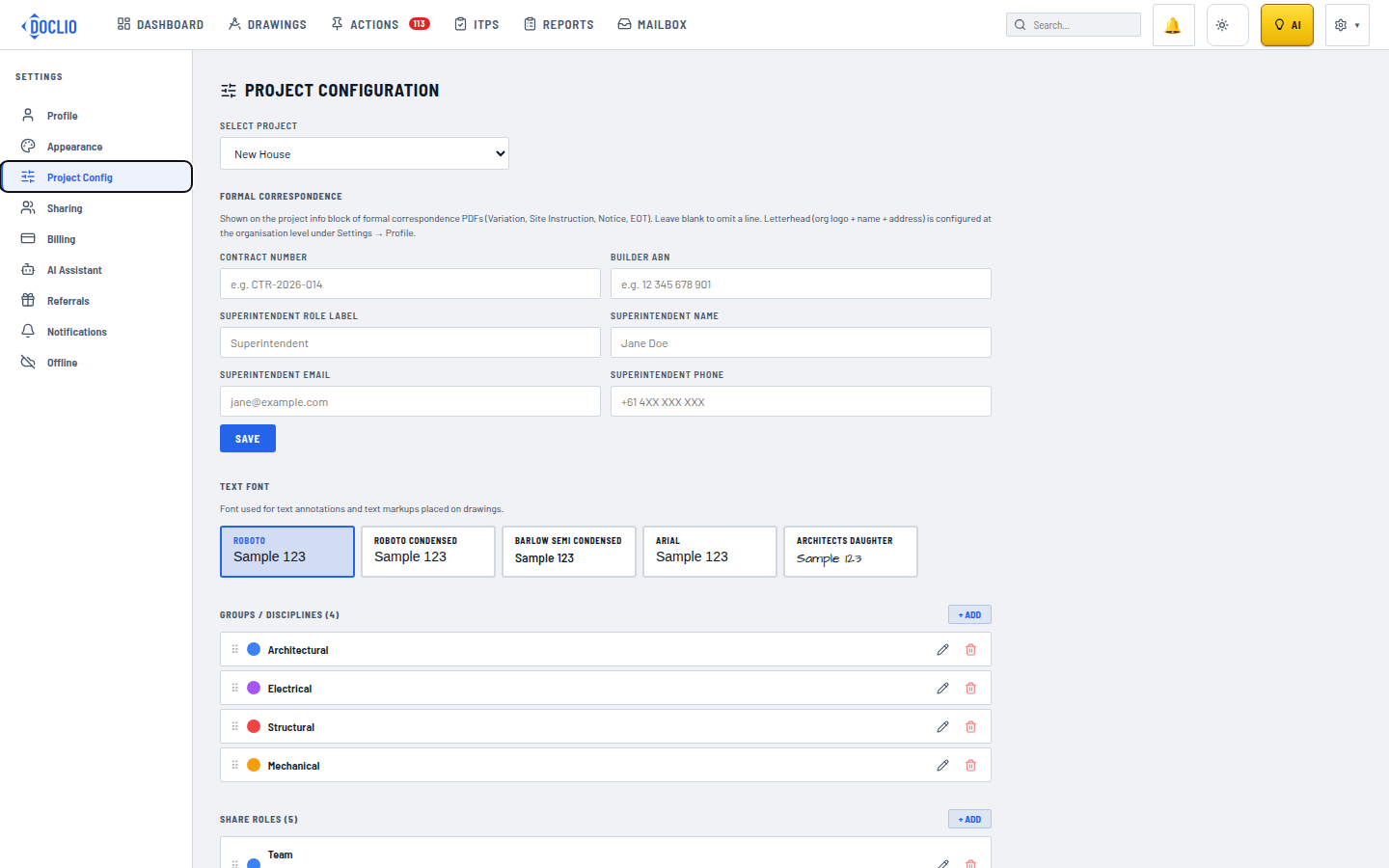
Correspondence letterhead, text font, groups, and share roles